
Classification Report
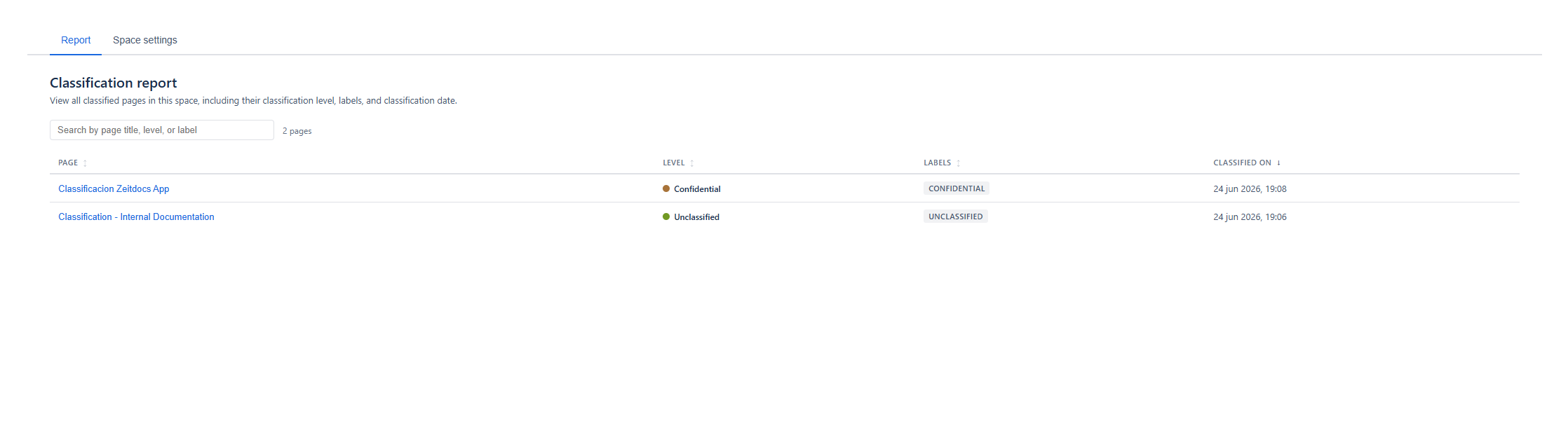
The Classification Report is a page within a space that lists every page that has been classified, so you can audit sensitivity at a glance.
What it shows
Section titled “What it shows”A table with one row per classified page:
| Column | Description |
|---|---|
| Page | The page title, linked — click to open the page. |
| Level | A coloured dot and the level name. |
| Label | The classification label chip (for example CONFIDENTIAL). |
| Classified At | The date the page was classified. |
The Label column reflects the level’s current label from space settings, so it stays accurate even if a level’s label was renamed after pages were classified.
Using the report
Section titled “Using the report”- Sort — click any column header to toggle ascending or descending. The default is Classified At, newest first.
- Search — type to filter by page title, level name, or label. Filtering happens instantly in your browser.
- Load more — the report loads 50 pages at a time; click Load more to append the next batch.
Empty states
Section titled “Empty states”- No classifications yet — the space has classification enabled but no pages have been classified.
- No matches — your search filter matched nothing; clear it to see all rows.
- Use the report to find pages that should be classified but are not, by comparing it to your space’s page count.
- The page title shown is the title at classification time. If a page was renamed, the report refreshes stale titles automatically as it loads.