
Space Access Control
Space Access Control decides which spaces are allowed to use classification at all. It is a site-wide policy that overrides everything else — if a space is blocked here, no one (not even a space admin) can classify pages there.
You reach it from Classification Templates → Manage access.
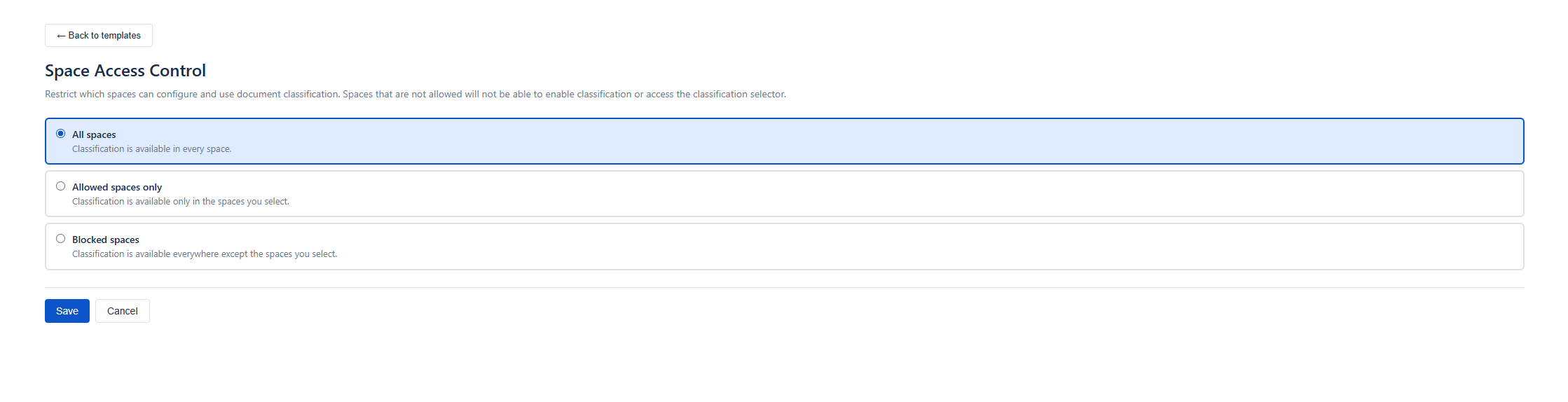
The three modes
Section titled “The three modes”| Mode | Behaviour |
|---|---|
| All spaces (default) | Classification is available in every space. |
| Allowed spaces only | Classification works only in the spaces you list. Everything else is blocked. |
| Blocked spaces | Classification works everywhere except the spaces you list. |
When the mode is All spaces, the space list is ignored.
Setting it up
Section titled “Setting it up”- Open Manage access.
- Choose a mode.
- If you picked Allowed spaces only or Blocked spaces, a space picker appears — search and select the relevant spaces (with pagination).
- Save.
What “blocked” means for users
Section titled “What “blocked” means for users”When a space is blocked:
- Page editors and space admins see “Classification is not available in this space…” in the byline — no level picker.
- The byline shows a plain Classification item with no coloured icon.
- Space Settings is replaced with an informational message; classification cannot be enabled there.
- Pages in the space cannot be classified through any path — even bulk template application skips them.
This guard is enforced on the server, so it cannot be bypassed from the UI.
Interaction with global templates
Section titled “Interaction with global templates”When you apply a global template to spaces, any blocked space you happened to select is skipped and reported back (never written). So you can safely multi-select without worrying about pushing classification into a forbidden space. See Global Templates.
- Use Allowed spaces only when classification should be opt-in for a few pilot spaces.
- Use Blocked spaces when classification is the norm but a few spaces (for example a public knowledge base) should never restrict pages.
- Changing the mode takes effect immediately. Already-classified pages keep their restrictions, but new classifications are governed by the new policy.