
Page Banner
When a page is classified, a visual banner can appear at the very top of the page. It is the most visible signal of a page’s sensitivity — page readers see it before any content.
The banner is controlled by the classification level, so what it looks like depends on how your space admin configured that level’s page header style.
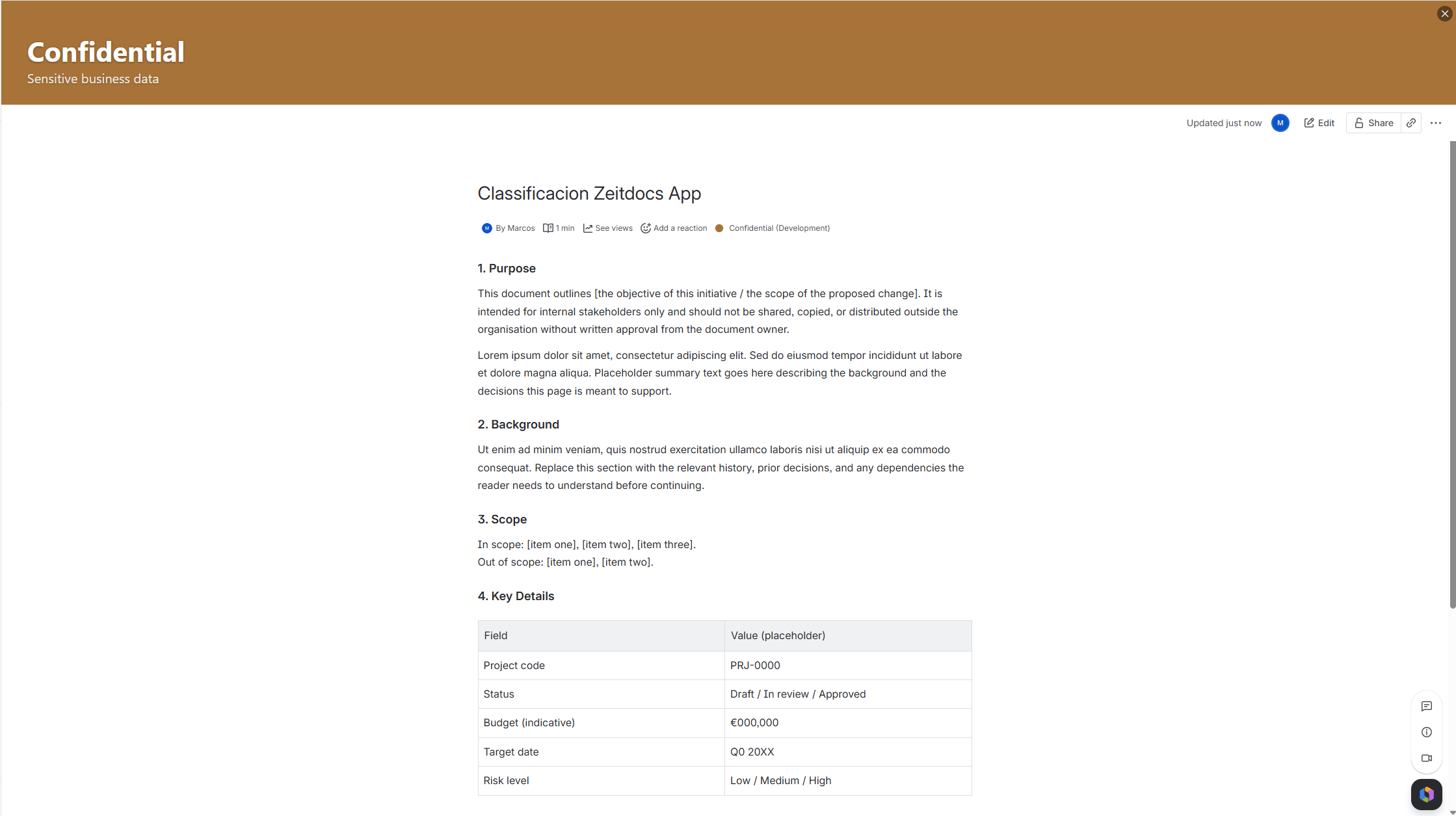
The three page header styles
Section titled “The three page header styles”Each classification level uses one of three page header styles:
| Style | What page readers see |
|---|---|
| Image | A full-width background image (a themed header) with the level name and description drawn on top. |
| Colour | A solid colour band using the level’s colour. No image. |
| None | No banner at all. The byline dot still shows the level. |
Your space administrator chooses the style per level in Space Settings.
Banner size
Section titled “Banner size”The banner’s height is a space-wide setting with four options. All image and colour banners in the space use the same size. Space admins set this in Space Settings → Header image size.
| Size | Height | Choose it when |
|---|---|---|
| Small | 80px | You want the lightest possible footprint on the page. |
| Medium (default) | 160px | The general-purpose choice. |
| Large | 240px | You want the banner to be unmissable. |
| Auto | Grows to fit the description | Your level descriptions are long and you want all of the text to be readable. |
A Confluence admin can also set the size on a global template, which applies it across every space the template reaches. This is the way to change the banner height for a whole Confluence site without opening each space.
Auto size
Section titled “Auto size”Small, Medium and Large are fixed heights. The banner is always exactly that tall, and the text is sized to fit inside it.
Auto works the other way round. The text stays at its configured size and the banner grows to fit it. A short description produces a banner no taller than Small; a longer one gets as much height as it needs, up to a limit of 320px.
Choose Auto when your classification descriptions are a full sentence or more and you would rather not have them shrink.
[Screenshot needed: the same classification level shown as a Small banner and as an Auto banner, side by side, with a long description]
How the banner text fits
Section titled “How the banner text fits”The level name and description are drawn as real text on top of the banner, and Classify works to keep them readable for page readers:
- At a fixed size, the text is measured against the space available and scaled down until the description fits, so a long description shrinks instead of being cut off. There is a lower limit on how small the text will go; beyond that point a very long description is shortened. As a guide, a Small banner shows around 460 characters, and Medium and Large around 610.
- At Auto size, nothing shrinks. The description is shown at its configured size, up to roughly 1,200 characters.
- The banner also re-fits when the browser window is resized, so the text stays readable in a narrow window as well as a wide one.
Space admins can also set the banner text size for each classification level — see Space Settings. The editor shows the size each choice actually produces at the space’s current header image size, because a Small banner has far less room than Auto.
Where the banner appears
Section titled “Where the banner appears”- On regular pages and blog posts that have been classified.
- It does not appear on Confluence space-settings or admin pages, even though those technically have a page context. This is intentional, to avoid showing the banner where it does not belong.
I classified a page but do not see a banner
Section titled “I classified a page but do not see a banner”Check these in order:
- Did you refresh? The banner appears on page reload after classifying.
- What style is the level? If the level is set to None, there is no banner by design — only the byline dot.
- Is the level set to Image but missing an image? If no image was uploaded, it falls back to no banner. Ask your space admin to add a header image or switch the level to Colour.
See FAQ for more.
The banner text does not resize, or appears twice
Section titled “The banner text does not resize, or appears twice”Banner text used to be painted permanently into the header image. It is now drawn as live text on top of the image, which is what makes the automatic fitting and the per-level banner text sizes possible.
Classification levels whose header image was created before this change keep their original banner exactly as it was. The text is still part of the image, so it will not resize and the banner text size controls have no visible effect on it.
A space admin converts such a level by re-selecting its background:
- Open the level in Space Settings.
- Click Select background or Upload background.
- Choose the image again and save.
The header image editor shows a hint when a level is still in this state.
Levels using a Colour page header style were never affected and need no action.
Related
Section titled “Related”- Classifying a Page — how to apply a level.
- Space Settings — where banner style, image, and size are configured.